Build a Bakery Guides
Walkthroughs for the Market-to-Display loop, upgrades, helpers, recipes, and your first profitable hour.
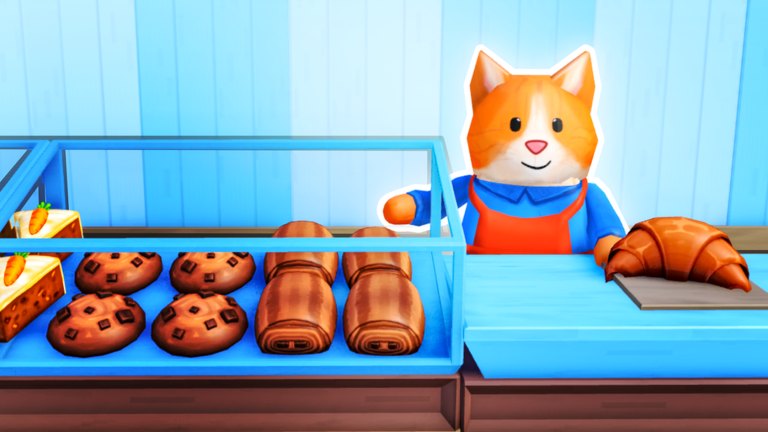
Welcome to the Guides Hub for Build a Bakery, the cozy Roblox baking tycoon from Baking Community (Bertik, Olikus, Sameek). Every tutorial on this wiki starts here. Whether you need the first fifteen minutes mapped out, a refresher on Market stock, a helper hire order, or a reminder that Oven LV.2 is a 1.5x speed spike, use this page as the map and jump into the detailed articles below.
Build a Bakery runs on up to six-player servers. The core loop is simple to say and easy to fumble: buy ingredients at the Market, process them at the Mixer, bake in the Oven, stock the Display Case, collect cash, then reinvest into stations, Animal Helpers, and Build Mode (B). There are 40+ recipes, badge tracks from Apprentice (5) through Master Baker (40), orchard pears for Otis, and cosmetic Game Passes. Guides exist so you spend cash on throughput instead of guessing.
Start here
New bakers should open these pages first:
- Getting Started — first 15-minute route, controls table, upgrade priority, early recipes, badges, and opener mistakes. Includes a gameplay walkthrough video.
- Beginner Mistakes — deeper fixes for decorating too early, empty cases, ignored Otis runs, rushed Cheesecake, fake codes, and day-one scripts.
Together those two guides get you to First Sale!, Oven LV.2 thinking, and a clean handoff into money and helper pages.
What these guides teach
Core production loop
Every profitable minute follows the same chain. Market stock must match the recipe you unlocked—Cookie is Flour + Butter on Easy difficulty; later trays include Bread, Buttermilk Biscuit, Muffin / Carrot Muffin (about $32), Chocolate Chip Cookies (about 10s), Pastel de Nata (about 10s), Baked Custard, Simple Cake, Croissant (about $68), Pain au Chocolat, fruit pies, Cheesecake (Very Hard, about 6m45s, about $150 claim), and Cream Puff. Recipe and money guides explain when to stay on fast 10-second trays versus when a long Cheesecake claim is worth parking an oven.
Upgrades and helpers
Cash should hit stations that shorten cycles. Oven LV.2 is the headline multiplier at roughly 1.5x bake speed. After stations feel stable, hire Honey Bear or Snowy Bunny for workstation baking, then Midnight Cat for register work and banking around $4000. Machines, helpers, and make-money guides rank these buys so you do not impulse-spend on Build Mode cosmetics too early.
Side income and badges
Orchard pears turned in to Otis (six pears = $100) bridge awkward cash gaps—see the dedicated Otis guide. Badges—Apprentice (5 recipes), Pastry Chef (10), Pâtissier (25), Master Baker (40), plus First Sale!—double as a checklist for recipe breadth. Recipe Book and tiers guides call out when to diversify unlocks versus when to spam a single profitable tray.
Controls and Build Mode
Interaction and renovation bindings confuse new players on busy plots:
| Key | Action |
|---|---|
| E | Interact |
| F | Upgrade |
| T | Talk |
| B | Build Mode |
| R | Rotate |
| V | Pattern |
| C | Color |
| X | Cancel |
Build Mode and Game Passes (about 99–549 Robux) are cosmetic-leaning. Enjoy them after the bakery prints cash on its own—layout tips live in the Build Mode guide.
Guide index
| Guide | Focus | Best for |
|---|---|---|
| Getting Started | First session route, controls, upgrades, opener mistakes | Brand-new players and returning alts |
| Recipes and Tiers | Recipe Book ribbons, discovery claims, sample pastries | Badge hunters and discovery planning |
| Recipe Book Ledger | Working checklist of pastries and ingredients | Tracking unlocks toward Master Baker |
| How to Make Money | Cash routes, Croissant focus, helper income | Players stuck under upgrade prices |
| Animal Helpers | Honey Bear, Snowy Bunny, Midnight Cat, Set Recipe | Automation without day-one scripts |
| Machines and Upgrades | Mixer, Oven LV.2 1.5x, Display Case buy order | Throughput bottlenecks |
| Build Mode | Placement, rotate/color/pattern, pathing | Layout after the kitchen earns |
| Market Ingredients | Common / Rare / Epic stands, hotbar x12, stockouts | Shopping efficiency |
| Otis and Orchard | Pear runs, six pears for $100 | Free bridge cash between trays |
| Beginner Mistakes | Empty cases, early décor, fake codes, scripts | Recovery when progress stalls |
How to use the hub efficiently
- Skim this hub for the loop vocabulary (Market, Mixer, Oven, Display Case, Helpers).
- Complete Getting Started in one sitting while in a live server.
- Skim Beginner Mistakes so you recognize traps before you hit them.
- Cross-check free rewards on the Codes Hub — no active codes as of 25 November 2026, but Otis and claims still pay.
- Deepen with money, machines, helpers, and recipe pages as each system unlocks.
- If you insist on third-party automation after learning the loop, read the Scripts Hub and only then Alexandria Hub.
Guides vs other wiki sections
- Guides — how to play, what to buy next, how to recover from mistakes.
- Codes — promo status and free cash alternatives.
- Scripts — optional automation with risk notes.
- Tier List — recipe and helper S/A/B rankings.
- Players / Updates hubs — roster notes, badges, and patch history.
Guides never replace patch notes. If Baking Community changes bake timers or helper behavior, re-read Getting Started’s priority table and the machines guide, then adjust.
Quality bar for every guide
Each guide aims for practical density: real keybinds, real recipe examples, real cash figures where known, and FAQs that match search intent (how to start, what to upgrade, why ovens feel slow, when to hire Midnight Cat). We avoid filler paragraphs and outdated code rumors. When a mechanic is uncertain after a patch, the guide says so instead of inventing numbers.
Recommended first-hour path (summary)
- Join a server and learn E interact on Market, Mixer, Oven, and Display Case.
- Bake Cookie and Bread to learn claims and hit First Sale!.
- Funnel cash into oven upgrades toward LV.2.
- Run orchard pears to Otis between trays.
- Unlock a few 10-second recipes for throughput.
- Hire a workstation helper, then Midnight Cat.
- Only then open Build Mode for layout polish.
Details, timing, and mistake callouts live in Getting Started and Beginner Mistakes.
Related hubs
Come back to this Guides Hub whenever you unlock a new station tier—the index above stays the map from recipe five through recipe forty.
Frequently Asked Questions
Quick answers for Build a Bakery players.
Which Build a Bakery guide should I read first?
Open Getting Started for the first 15 minutes, controls, and upgrade priority, then skim Beginner Mistakes so you avoid empty cases, early decorating, and fake codes.
Do I need codes before following the guides?
No. There are no active codes as of 25 November 2026. Follow Getting Started and use Otis pears, recipe claims, and helpers for cash.
Where are Animal Helpers explained?
Read the Animal Helpers guide for Honey Bear, Snowy Bunny, Set Recipe, and Midnight Cat’s ~$4000 register bank. Getting Started still ranks when to hire each.
Are Game Passes required for the guide routes?
No. Passes are mostly cosmetic or Build Mode oriented (about 99–549 Robux). Guides assume free progression first.
Where is the full list of guides?
The Guide index table on this hub lists every walkthrough: Getting Started, Recipes and Tiers, Recipe Book Ledger, Make Money, Animal Helpers, Machines, Build Mode, Market, Otis, and Beginner Mistakes.