Build a Bakery New Area Update
Event window, prep checklist, Notify Me setup, and what we know before Baking Community ships the drop.
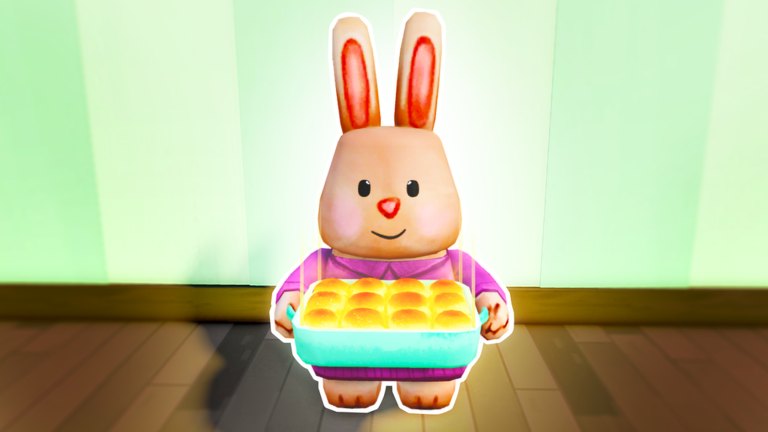
The New Area update is the live-ops headline for Build a Bakery in late November 2026. The official Roblox Events rail listed New Area! for Friday, 27 November 2026, landing days after the experience crossed 1M visits around 24 November 2026. This page explains how to enable notifications, what to prep in your kitchen, and how we will document concrete map details after the drop ships—without inventing layout spoilers that Baking Community has not confirmed.
Use this article beside the Updates Hub chronology, the official links on Wiki / Links, walkthroughs under Guides, promo checks on Codes, and cash planning on Make Money.
What is confirmed today
| Fact | Detail | Source feel |
|---|---|---|
| Event name | New Area! | Roblox game page Events rail |
| Listed start | Friday, 27 November 2026 | Local time shown on the event card |
| Visit milestone | 1M+ visits around 24 November 2026 | Breakout week / concurrent surge |
| Creator group | Baking Community group id 1044434315 | Group shouts and community pings |
| Core fantasy | Market, Mixer, Ovens, Display Case, helpers, Build Mode | Unchanged until patch notes say otherwise |
Everything else—exact paths, new stands, furniture packs, or quest NPCs inside the New Area—should be treated as unconfirmed until you load a post-drop server. This wiki will refresh child pages when screenshots and in-game banners make the geometry clear.
Honesty rule: map details wait for ship
Fan sites lose trust when they invent corridors, secret ovens, or fake codes the night before an event. We will not:
- Fabricate a full New Area minimap.
- Promise exclusive recipes locked behind Robux.
- Publish unverified promo strings.
- Claim patio resets or wipe risks without an official note.
We will:
- Keep Notify Me and group-follow steps accurate.
- Tell you which upgrades make touring safe (cash buffer, Oven LV.2, helpers).
- Publish a post-drop checklist you can run the hour the area opens.
- Link new walkthroughs from the Guides Hub once systems are verified.
If a creator teaser conflicts with the Roblox event card, trust the Roblox listing and in-experience banners first.
How to turn on Notify Me
- Open the official Build a Bakery experience page.
- Find the Events rail and the New Area! card.
- Tap the notification bell / Notify Me control on that card so Roblox can ping your account near start time.
- Confirm device notifications for Roblox are allowed on phone or desktop.
- Optionally favorite or join the experience so it stays easy to relaunch when the ping arrives.
Notify Me does not reserve a server slot. It only reduces the chance you learn about the drop from a random clip hours later.
Join Baking Community (group 1044434315)
Creator messages often land on the Baking Community group wall or shout. Join group 1044434315 so you see official text without scavenging unofficial Discord mirrors. Pair the group with the game-page bell: one catches scheduled Events rail cards, the other catches shout-style updates.
Avoid accounts that promise free Robux or “leaked New Area codes.” As of late November 2026 the Codes hub still shows no active promo codes—events are when strings historically appear in other Roblox titles, but Build a Bakery has been quiet, so verify here before redeem attempts.
What to prep before Friday
Touring a new space while your kitchen is broke is how bakers miss both the screenshot and the income. Prep in this order:
1. Oven LV.2 online
Push at least one oven to LV.2 for the about 1.5x bake speed multiplier. Faster trays mean you can explore for ten minutes and still recover cash when you return.
2. Cash buffer
Bank a comfortable wallet through Croissant-level sales, recipe claims, and Otis pear turn-ins. Exact targets vary by shop, but you want enough to restock Flour / Butter and buy any cheap event-adjacent props without wiping the register. Follow Make Money if the buffer feels thin.
3. Helpers covering the shop
Hire Honey Bear or Snowy Bunny on a short Workstation loop (Chocolate Chip Cookies or Pastel de Nata) and Midnight Cat on the register when you can. Helpers keep Display Cases alive while you walk the New Area. Collect banked cash (Midnight Cat stores up to about $4000) before long sightseeing trips.
4. Hotbar and case hygiene
Clear junk stacks, top Commons toward x12, and leave the Display Case stocked so customer traffic still converts during the surge. Six-player neighborhood servers feel busier after the 1M-visit spike—empty shelves waste the crowd.
5. Build Mode pause
Finish critical machine placements before the event hour. Do not start a half-renovation that blocks the aisle right as you want to leave for the New Area.
Post-drop checklist (run this when it ships)
- Load a fresh server after the Roblox Updated timestamp jumps.
- Screenshot your bakery layout in case a patch ever mentions build changes (rare, but cheap insurance).
- Collect Midnight Cat cash and restock the Display Case.
- Walk the New Area once for orientation—note stands, seating, teleports, and NPC prompts.
- Recheck Codes the same day for any promo strings.
- Skim the Updates Hub and Wiki / Links for official URLs if banners point outside the place.
- Return to production: Market run, short helper loops, then a second sightseeing pass.
- Watch this wiki for new guide pages if the area adds systems that need a full walkthrough.
What the 1M-visit surge means for New Area week
Breakout traffic changes the feel of prep:
- Market stands hit OUT OF STOCK faster—bulk Commons early.
- Friend visits and patio screenshots spike—layout clarity matters.
- Guide demand rises for codes status, helper setup, and event timing.
Play slightly tighter: fewer, larger Market trips; helpers always assigned; sightseeing in short bursts between Collects.
Watch a quick Roblox short
The embedded BUILD A BAKERY — Roblox short below is a fast vibe check for the cozy bakery fantasy. It is not a substitute for the event card clock, but it helps new players recognize the kitchen they should stabilize before touring new content.
Related destinations
- Updates Hub — full chronology including 2025-12-30 foundation and badge emphasis.
- Wiki / Links — official Roblox game URL and Baking Community group links.
- Guides Hub — walkthroughs once New Area systems are documented.
- Codes — promo verification the day of the drop.
- Make Money — cash buffer routes before you go sightseeing.
Stay ready, stay skeptical of leaks, and let Baking Community ship the geometry before the wiki draws the map. When New Area! opens on Friday, 27 November 2026, a stocked kitchen and Notify Me ping matter more than any rumor thread.
Frequently Asked Questions
Quick answers for Build a Bakery players.
When is the Build a Bakery New Area event?
The Roblox Events rail listed New Area! for Friday, 27 November 2026. Enable Notify Me on the event card for the exact local start time.
What should I prep before the New Area drops?
Reach Oven LV.2, keep a cash buffer, assign Animal Helpers to short loops, stock the Display Case, and avoid mid-renovation aisle blocks.
How do I get notified about New Area!?
Open the Roblox game page Events rail, tap Notify Me on the New Area! card, allow Roblox notifications on your device, and join Baking Community group 1044434315 for shouts.
Does this page include a full New Area map?
No. Concrete map and stand details update after the drop ships. Pre-launch notes stick to confirmed event timing, visit milestones, and prep checklists.
Will there be codes with the New Area update?
Maybe, but none were active as of late November 2026. Recheck the Codes hub on drop day instead of trusting unverified leak accounts.