Build a Bakery Official Links Hub
Trusted Roblox destinations and wiki hubs for Build a Bakery.
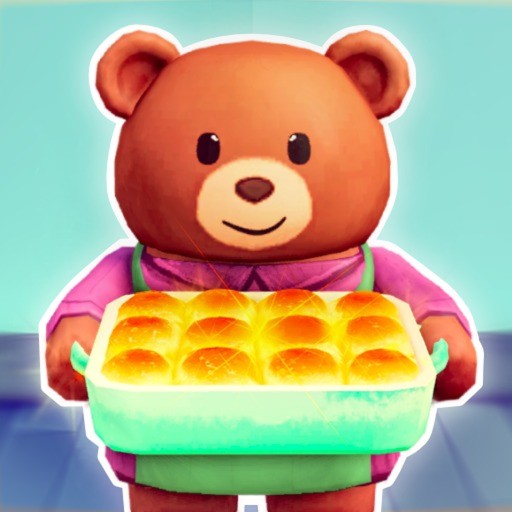
This Links Hub gathers the official Roblox destinations for Build a Bakery and the major wiki sections you will use every week. Bookmark it when you need the game URL, the Baking Community group, or a reminder to enable notifications before events such as New Area drops. Fan wikis go stale when they bury official links—here they stay at the top.
Build a Bakery is a cozy Roblox simulation tycoon from Baking Community (Bertik, Olikus, and Sameek). Everything authoritative—place updates, event cards, badges, and group shouts—lives on Roblox first. This page tells you exactly where to click, then routes you back into Guides, Codes, Tier List, Players, Tools, and Updates on build-a-bakery.wiki.
Official Roblox game page
Play and follow the experience here:
- Build a Bakery on Roblox — official place listing, description, badges, Game Passes, server size (6), and Events rail.
On that page you can favorite the experience, read the latest Updated timestamp, and open the event card for scheduled content such as the Friday New Area window. The description restates the fantasy loop: buy ingredients at stands, mix dough and batter, bake in Ovens, stock Display Cases, hire animal helpers, and expand your bakery while visiting friends’ shops.
When something feels “wrong” after a patch—missing teleports, new UI, or a changed badge list—reload the official page before assuming a wiki typo. Creators edit that listing the same day they ship.
Baking Community group
Join the creator community for shouts and social proof that you are following the right studio:
- Baking Community on Roblox — official group for Build a Bakery developers and players.
Group membership is free and is the cleanest way to see creator announcements without relying on random Discord invites. After joining, enable group notifications if your Roblox settings allow it, and check the wall when visits surge or an event is hours away. Community role tags and shout history also help you verify that an “update leak” screenshot is actually tied to this studio.
Notification bell tip
Roblox experiences expose a notification bell / Notify Me control on the game page and on scheduled event cards. Use it.
- Open the Build a Bakery game page.
- Locate the Events section (for example, New Area! on a listed Friday start).
- Tap Notify Me / the bell so Roblox can push a reminder before the event goes live.
- Confirm notifications are allowed for Roblox on your device OS settings.
Why it matters: cozy games do not always trend on your home algorithm. A silent New Area launch is easy to miss if you only check the wiki. The bell is the official, account-level reminder Baking Community expects players to use—the in-description line about clicking the notification bell exists for this reason.
Also favorite the place and optionally follow creator profiles tied to Bertik, Olikus, and Sameek if you want avatar-level update pings. Favorites do not replace the event bell, but they keep the game easier to find in your continue list.
Wiki hubs on this site
After you are following the official surfaces, use these internal hubs:
| Hub | Path | Use it for |
|---|---|---|
| Codes | /codes/ | Active promo status (none as of late November 2026) |
| Guides | /guides/ | Getting started, recipes, helpers, build mode |
| Tier List | /tier-list/ | Early money and helper recipe rankings |
| Players | /players/ | Badges overview and helper roster links |
| Updates | /updates/ | Chronology, 1M visits, New Area tracking |
| Tools | /tools/ | Controls reference and planning checklists |
| Links (this page) | /wiki/ | Official URLs and notification tips |
Legal pages for the website itself live at /terms/, /privacy/, and /cookies/ (English only).
How to verify a link is safe
Only trust:
- roblox.com game and community URLs that match the IDs above
- this wiki’s own https://build-a-bakery.wiki paths
Be skeptical of:
- third-party sites promising free Robux for Build a Bakery codes
- executable downloads or “script hubs” bundled with account stealers
- unofficial Discord invites that demand personal data
If a stranger DMs a “backup codes list,” ignore it and recheck /codes/ instead.
Suggested follow routine
Weekly (or after any Updated date change):
- Skim the official game page Events and description.
- Glance at the Baking Community group shout.
- Read the latest entry on /updates/.
- Confirm codes status.
- Jump into the guide you need for the next session goal.
That five-step routine keeps you aligned with Baking Community without living inside social media. The Links Hub exists so every one of those clicks starts from a single trusted index.
Frequently Asked Questions
Quick answers for Build a Bakery players.
What is the official Build a Bakery game link?
Play at https://www.roblox.com/games/113450637321433/Build-a-Bakery on Roblox.
Where is the Baking Community group?
Join https://www.roblox.com/communities/1044434315/Baking-Community for official group shouts and membership.
How do I get update notifications?
Open the Roblox game page, enable the notification bell / Notify Me on the experience and event cards, and allow Roblox notifications on your device.
Is this wiki official?
No. This is an independent fan wiki. Official announcements still come from the Roblox game page and the Baking Community group.