Build a Bakery Build Mode Guide
Hotkeys, patio expansion, friend visits, and cosmetic-only Game Passes explained honestly.
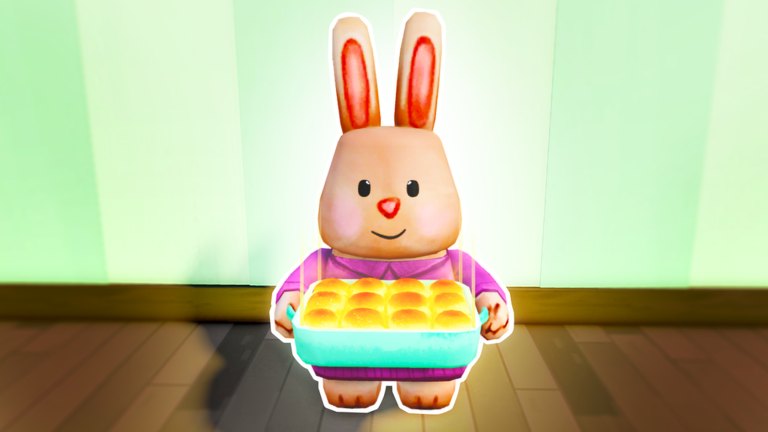
Build Mode is how you turn purchased machines and furniture into a bakery that actually works. Press [B] to enter, place ovens and counters, rotate pieces, recolor surfaces, expand the outdoor patio, and host friends on 6-player servers. This guide lists the hotkeys, explains patio expansion and visits, and gives an honest read on the four Game Passes (99 / 129 / 199 / 549 Robux)—all cosmetic or quality-of-life building tools, never pay-to-win recipe gates.
Pair layout work with the machine buy order in Machines and Upgrades. For a compact control reference alongside movement and interact keys, see Controls.
Core Build Mode hotkeys
| Key | Action | Tips |
|---|---|---|
[B] | Enter / leave Build Mode | Muscle-memory toggle before and after every furniture purchase |
| Click | Place the selected item | Keep Mixer → Oven → Display Case walking distance short |
[R] | Rotate the held piece | Align oven doors toward your main aisle |
[V] | Cycle gingham / table patterns (red, blue, purple, green) | Cosmetic; does not change bake speed |
[C] | Recolor surfaces | Match theme accents; pure style |
[X] | Extra build tool action (remove / adjust per context) | Use carefully near production machines so you do not strand a workstation |
Learn [B] and [R] first. Pattern and color keys are optional flair. If a new oven faces a wall, rotate before you confirm placement—pathing mistakes cost more time than picking the wrong gingham.
Layout rules that make money
Build Mode is not only decoration. Good layouts:
- Put the Mixer within a few steps of ingredient drop-off after Market teleports.
- Line Ovens so you can load and collect without weaving through chairs.
- Keep the Display Case visible to the customer path and close enough that plating is instant.
- Leave space for Animal Helper workstations and the Cash Register (Midnight Cat needs a clear till).
- Expand the patio only after indoor throughput is stable—outdoor seats need pastries to sell.
A pretty maze that doubles your walk between Mixer and Oven is a hidden tax on every Cookie and Croissant. Optimize the work triangle first; theme the walls second.
Patio expansion
Outside the shop, interact with the Expand Patio sign when you are ready for more outdoor seating. Extra chairs and tables raise how many visiting customers can linger, which matters once Display Case capacity and oven lanes can feed a crowd.
Expand in steps:
- Confirm indoor ovens and case upgrades are not starving.
- Expand patio.
- Restock high-value trays (Croissant at $68 still carries outdoor prestige).
- Optionally decorate with Build Mode colors and gingham via
[V]/[C].
Empty patio furniture without production upgrades is a cash sink. Treat expansion as a multiplier on an already working kitchen.
Friend visits and 6-player servers
Build a Bakery runs on 6-player servers. That social layer means:
- Friends can walk into your bakery and buy pastries from your Display Case.
- You can visit their shops, compare layouts, and shop their menus.
- Outdoor nameplates and patio vibes become part of the hangout loop, not just solo AFK income.
Use visits to scout ideas—oven rows, register placement, workstation corners—then recreate improved versions in your own Build Mode. Do not assume a friend’s Robux paint job is required; copy the pathing, not the paid palette.
Game Passes (99 / 129 / 199 / 549 Robux)
Baking Community sells four official Game Passes. All of them are building / cosmetic upgrades:
| Pass | Price (Robux) | Role | Pay-to-win? |
|---|---|---|---|
| +1 Build Slot | 99 | Extra placement flexibility | No — convenience |
| +1 Build Slot II | 129 | Further build slot expansion | No — convenience |
| More Colors! | 199 | Broader recolor options | No — cosmetic |
| Advanced Building Tools | 549 | Higher-end build tooling | No — QoL building |
Honest F2P note: Free-to-play bakers can unlock every recipe, every machine tier, Animal Helpers, badges at 5 / 10 / 25 / 40, and patio expansion using in-game cash. Game Passes do not gate Croissants, Cheesecake discoveries, Honey Bear, or Oven LV.2 1.5x. They only make decorating and placing furniture nicer.
If you spend Robux, buy passes only after your kitchen already prints money. A Red Mixer funded by Croissants beats Advanced Building Tools on an empty shop. If you never plan to decorate heavily, skip the color pass entirely.
Build Mode session checklist
- Buy the machine or furniture with cash.
- Press
[B]. - Select the item,
[R]to face it correctly, click to place. - Optionally
[V]/[C]for pattern and color. - Exit Build Mode and walk the route with a real bake test.
- Adjust again if the Display Case or register feels cramped.
- Only then expand patio or chase Game Pass cosmetics.
Syncing builds with upgrades
Every time you follow the machine ladder in Machines and Upgrades—second Oven LV.1, Display Case bump, Mixer color tier—schedule a short Build Mode pass. Dropping a third oven on top of a chair is how shops lose five minutes per restock forever.
Keep helper workstations near ingredient storage and ovens so Honey Bear / Snowy Bunny loops stay efficient. Give Midnight Cat a register that customers naturally path toward.
Controls beyond Build Mode
Movement, interact ([E]), Market teleport buttons, and camera habits sit outside this page’s hotkey table. Use the dedicated Controls reference when you need the full input map, then return here when you are rearranging furniture.
Mistakes to avoid
- Decorating before owning a second oven.
- Buying Game Passes expecting faster bake times—they do not provide that.
- Expanding patio while Display Case capacity is still 4/4.
- Placing ovens with doors into walls because you skipped
[R]. - Forgetting to test walk the kitchen after a big rearrange.
Build Mode is the spatial half of your bakery strategy. Hotkeys get pieces down; smart paths and an honest F2P mindset keep the shop profitable whether or not you own a single Robux pass.
Frequently Asked Questions
Quick answers for Build a Bakery players.
How do I enter Build Mode in Build a Bakery?
Press B to toggle Build Mode. Click to place furniture or machines, R to rotate, V to cycle gingham patterns, C to recolor, and use X for contextual remove/adjust actions.
Are Game Passes required to progress?
No. The 99, 129, 199, and 549 Robux passes are cosmetic or building QoL only. Every recipe, machine upgrade, helper, and badge is available with in-game cash.
What does Expand Patio do?
Interacting with the outdoor Expand Patio sign unlocks extra seating for customers. Expand after your ovens and Display Case can feed the larger crowd.
Can friends visit my bakery?
Yes. Servers support 6 players, so friends can enter your shop, buy from your Display Case, and show off their own layouts when you visit them.
Should I buy build slots or ovens first?
Fund Oven and Display Case upgrades with bakery cash first. Extra Robux build slots only matter once you already have machines worth placing.