Build a Bakery Tools & References
Hotkeys, planning aids, and upgrade order utilities for faster bakery growth.
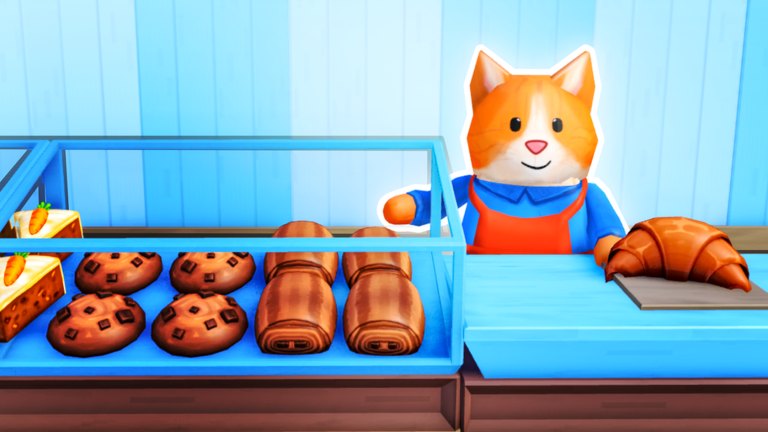
The Tools Hub collects practical references that sit beside your Build a Bakery sessions: keyboard and mobile controls, teleport buttons, HUD reminders, and lightweight planning frameworks for recipes and upgrades. Start with the full hotkey table on Controls, then use the planning notes below to decide what to bake and what to buy before you spend another Market run.
Tools pages are intentionally short on lore and long on lookup value. When a customer line forms or a Workstation menu is open, you want a single chart—not a story. Pair this hub with Guides when you need narrative walkthroughs, and return here when you only need “what does V do in Build Mode?” answers.
Controls reference
Movement, interaction, Market/Bake teleports, and Build Mode keys are documented on the Controls page with a PC table and mobile notes. Memorize these four first:
- Interact / collect / open Workstation menus
- Build Mode toggle
- Market teleport (blue gingham control)
- Bake teleport (red gingham control)
Everything else—rotate, gingham cycle, color swatch, cancel placement—matters once you start rearranging Ovens and patio furniture. Keep the Controls page open on a second monitor or phone until the muscle memory sticks.
Recipe planning toolset
You do not need a spreadsheet to plan recipes, but you do need a repeatable habit:
- List missing Recipe Book ribbons before you leave the kitchen.
- Tag each target as money, discovery, or helper-loop. Croissant is money; an undiscovered Very Hard is discovery; Chocolate Chip Cookies are helper-loop fuel.
- Buy only the ingredients that serve those tags on the next Market trip.
- Cap experiments at one or two unknown bakes per cycle so Display Cases stay stocked.
This lightweight planner prevents the classic failure mode where you empty your wallet on Epic ingredients, burn three Oven slots on 6-minute timers, and earn First Sale! cash too slowly to afford Oven LV.2. When helper automation is online, assign S-tier short loops to Honey Bear or Snowy Bunny and reserve your personal attention for discovery bakes.
Upgrade priority checklist
Use this order as a default tool whenever you are unsure what to buy next:
| Priority | Upgrade | Why it ranks here |
|---|---|---|
| 1 | Second and third Oven LV.1 | Multiplies output before fancy recipes matter |
| 2 | Display Case capacity | Prevents wasted batches when customers arrive in groups |
| 3 | Mixer slot / speed upgrades | Unlocks multi-ingredient Advanced and Very Hard mixes |
| 4 | Oven LV.2 (1.5x speed) | Makes long pies, cakes, and Very Hard timers viable |
| 5 | Workstation + baker helper | Converts spare slots into passive trays |
| 6 | Midnight Cat on Register | Banks sales while you shop or build |
| 7 | Oven LV.3 / patio expand / cosmetics | Throughput polish and presentation |
Treat Game Passes (extra build slots, more colors, advanced building tools) as optional cosmetics. Free-to-play cash can unlock every recipe and machine; passes only accelerate decoration.
Session startup routine
A reliable five-minute startup beats improvisation:
- Collect banked cash from Midnight Cat if present.
- Glance at Display Case gaps and queue a money bake (often Croissant).
- Check helper Set Recipe—restart Chocolate Chip Cookies or Pastel de Nata if the loop stopped.
- Open Controls only if you are about to enter Build Mode for a new Oven placement.
- Run one Market trip with a written ingredient list.
Game Passes index
Robux spend decisions live on the dedicated Game Passes child page: all four official passes (99 / 129 / 199 / 549 Robux), F2P recipe notes, and a worth-it order for decorators versus skippers. Open it before you buy build slots or color packs.
How this hub will grow
Expect additional tool pages when the wiki adds calculators or checklists (for example printable Recipe Book trackers). Child references today are Controls for hotkeys and Game Passes for Robux math; the planning / upgrade sections on this hub cover the rest of the “tools” intent.
Bookmark the Tools Hub if you switch devices often. Mobile bakers especially benefit from rereading the on-screen button notes before a Build Mode rearrange, because hotkey letters do not map 1:1 to touch UI.
Frequently Asked Questions
Quick answers for Build a Bakery players.
What is on the Tools Hub?
Quick references for controls, recipe planning habits, and upgrade priority order, with a dedicated Controls page for hotkeys and HUD buttons.
Where is the full hotkey list?
Open the Controls tool page for the PC key table, Market/Bake teleport buttons, Build Mode keys, and mobile notes.
What should I upgrade first?
Buy extra Oven LV.1 units and Display Case capacity first, then Mixer upgrades, then Oven LV.2 for the 1.5x speed multiplier before heavy Very Hard grinding.
Do I need paid tools or passes to progress?
No. Recipe discovery and machine upgrades are available with in-game cash. Game Passes mainly add build slots and cosmetic options.